Arturia’s Pigments 7 came out on 16 December 2025 as a free update for existing Pigments owners. It’s now on version 7.0.1, released in July 2026, so it’s had nearly a year of use by producers and reviewers. This review covers what changed in version 7, what people say about it now, and how it compares with Serum 2, Phase Plant and Omnisphere 3.
Price: Pigments 7 is $99 on Plugin Boutique until 29 November (normally $199). It’s one of the Arturia deals on our Plugin Boutique Black Friday page.
Pigments 7 at a Glance
- Synthesis: five engine types (Analog, Wavetable, Sample with granular, Harmonic and Modal). You can run any two at once, plus a Utility engine with noise sources and an extra oscillator
- Filters and effects: 16 filter types with 68 modes, and 20 effects across three effects buses (FX A, FX B and Aux), each holding up to three effects
- Presets: more than 1,700
- Formats: standalone, VST2, VST3, AU and AAX (Pro Tools)
- Systems: macOS 11 or later (Intel or Apple Silicon), Windows 10 or later (64-bit). Arturia lists 4 GB of RAM, a 3.4 GHz CPU and 3 GB of disk space as the minimum. Windows on ARM isn’t supported
- Free version: Pigments Play, with 100 presets and simpler controls
What’s New in Pigments 7?
New Filters and the Corroder Effect
Earlier versions of Pigments were sometimes described as sounding too clean. Version 7 adds three filter types to the two filter slots, and a new effect, all aimed at grit and movement.
Rage filter. Rage puts distortion inside the filter’s feedback loop, so the resonance drives the distortion. Turning up the Rage knob pushes it harder, and the manual describes the result as aggressive rumbles. There are five modes, each with a different character:
- Diode: sharp, uneven clipping
- Distortion: a balanced overdrive
- Softclip: smoother, warmer saturation
- Tape: a little compression with the edges rounded off
- Transistor: aggressive and bright
Ripple filter. Ripple is a chain of all-pass filters. These let every frequency through at the same level but delay some of them, which changes how they line up and gives deep phase shifts. It comes in three strengths (Subtle, Medium and Hard), and each one adds more all-pass stages. A Dry Level control mixes in the original sound, and you can add distortion through a waveshaper or a positive or negative feedback loop.
Reverb filter. The name is unexpected. It uses a very short burst of reverb to change the tone of the sound, not to add a sense of space. Arturia says it works especially well for bass design. A Damping control sets how quickly the high frequencies fade, and a Tube Screamer-style distortion at the output adds weight.
Corroder effect. Corroder is the new effect in the 20-effect list. It runs the sound through a very short delay whose time is wobbled by a modulation source, which degrades and roughens the signal. That source can be a basic wave shape, an engine, a filter, another effects bus or an audio input, and you can blend in noise and shape the modulation with a bandpass filter. There are also controls for the dry/wet mix, stereo spread and drive. The more unusual modulation sources are where most of its variety comes from.
The Redesigned Play View

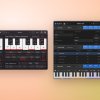
The Play view is the page you use when you want to pick a preset and play it, rather than dig into the full synth. Arturia rebuilt it from scratch for version 7, and it’s the biggest visible change. The manual pitches it at beginners, people who want to explore sounds more than synthesis, and live performance. Everything you change here also changes in the full Synth view, which is one click away at the top.
The visualizer. Most of the window is an animation that reflects the preset. Each sound category has its own colour and style. The manual’s examples are basses shown as glowing molten lava and pads as shimmering purple light. Within a category, the animation also varies with traits such as how aggressive, warm or rich the sound is. The idea is that you can tell what a preset is like as you scroll through the library. If you find it distracting, a Disable Visualizer button on the bottom toolbar turns it off. GearJunkies notes the design takes its cue from Arturia’s Analog Lab.
The knobs. The four Macro knobs are the big ones, now much larger and placed over the animation. Each Macro can move any number of settings at once, so one knob can change a sound a lot. On the Play view you can turn them and rename them. To change what they control, you go to the Synth view.
Along the bottom are smaller controls for the main parts of the synth. Each section shows one element at a time, and you click its label to switch:
- Engines: three knobs for Engine 1, Engine 2 or the Utility engine. They’re usually tuning, a tone control (such as FM amount, wavetable position or sample start) and volume. You can also change the engine type, wavetable or sample from here.
- Filters: the filter type and its two main controls, usually cutoff and resonance, for Filter 1 or Filter 2
- Amp envelope: four knobs for attack, decay, sustain and release
- Effects: three knobs that set how much of each effect on the FX A or FX B bus you hear, or send and return levels for the Aux bus. You can’t add or reorder effects here.
- Keyboard: a five-octave on-screen keyboard you can click to play, with pitch-bend and mod wheels, a Hold button and octave and fine-tune settings
So at any moment you see 16 knobs: the four Macros plus 12 smaller ones. The number of filter knobs can change with the filter type. The LFOs, the other envelopes, the modulation routing and the effect choices stay on the Synth and FX views. The free Pigments Play version uses the same audio-reactive Play view.
Reviewers were split. Synth Anatomy preferred it to version 6 and found the layout easy for beginners. GearJunkies said it looks clean and modern, but felt it makes fast editing slower and is more tab-based than before. Forum users are divided too. Some like the visuals, others find the new knobs harder to read, and some wish new instances opened on the Synth page instead.
Punchier Envelopes
The envelopes now have S-shaped curves on the attack and release, which the manual says makes them smoother. Arturia’s product page adds that this reduces clicks and gives harder-hitting sounds, especially in bass-heavy music. GearJunkies notes that the change can make some older presets sound different.
New Sounds and Tutorials
Version 7 adds 150 new factory presets in their own bank, 50 wavetables, 30 samples and 20 noise sources. Arturia also released 450 presets in new expansions. A new set of in-app tutorials teaches by building sounds, such as granular pads and basses, rather than explaining each control.
What Reviewers and Users Say About Pigments 7
Reviews were positive. MusicTech gave it 8 and called it “almost a no-brainer at $199”. Gearnews gave it 5 out of 5, and Audiofanzine gave it 9 out of 10.
Several reviewers, including Synth Anatomy, GearJunkies and Audiofanzine, felt it was more of a “6.5” than a full new version, because the oscillators didn’t change. Other points they raised:
- Synth Anatomy found that many of the new presets lean heavily on the new effects, though you can turn them down
- MusicTech found the patch browser clunky
- GearJunkies felt the Play view makes quick edits a little slower
Producers on music forums who have used it through 2026 mostly agree on two things:
- The sound: this gets the most praise. Some call it the best software synth they own.
- Memory use: this is the most common complaint. Users report around 1.5 to 2.5 GB of RAM for the first instance and about 1 GB for each extra one. The July 2026 update reduced the extra instances, but not the first. If your computer has 8 GB of RAM or less, try Pigments Play first.
Other things users report: the first instance can take 20 to 30 seconds to open, which Arturia support has said it will fix, and since the July update new instances open on the Play view rather than the Synth page. CPU reports are mixed. Desktop users are generally happy, while some laptop users find it heavier than other synths.
Who Is Pigments 7 For?
- Electronic producers who want one synth that covers pads, basses, leads and textures
- Sound designers who want analog, wavetable, sample, granular, modal and harmonic synthesis in one instrument
- Beginners, through the Play view, the macros and the in-app tutorials
- Anyone who already owns Pigments, because version 7 is a free update
It’s less suited to older or low-RAM computers, where several instances can use a lot of memory.
How It Stacks Up: Quick Comparison
| Synth | Sound sources | FM | Granular | Price | Try before you buy |
|---|---|---|---|---|---|
| Arturia Pigments 7 | Modal, granular, wavetable, sample, harmonic and virtual analog | Yes | Yes | $199 ($99 until 29 November) | Free Pigments Play version |
| Xfer Serum 2 | Wavetable, multisample, sample, granular and spectral | Yes, inside the oscillators | Yes | $249 (free for Serum 1 owners) | 15-minute demo |
| Kilohearts Phase Plant | Waveforms, wavetables, samples and noise | Yes, between all generators | Not listed | $199 | 10-day trial |
| Spectrasonics Omnisphere 3 | Sample-based sounds plus wavetable synthesis | Yes | Yes | $499 | No demo |
Prices are US list prices from Plugin Boutique or the maker’s website, checked on 6 November 2026. For another alternative, read our VPS Avenger 2 review, and for more pad synths see our best synth plugins for techno pads. If you’d rather have a classic analogue polysynth, our GForce Matrix-12 vs Arturia Matrix-12 V comparison covers the Oberheim Matrix-12.
Final Thoughts
Pigments 7 keeps the same sound engines as version 6, but the redesigned Play view, with its four large macro knobs, changes how quickly you can get a good sound. The new filters, Corroder and punchier envelopes give it more grit. Reviewers rate it highly, and users praise the sound.
The main thing to check is memory. If your computer has plenty of RAM, reviewers see it as good value even at $199, and until 29 November it’s half that. If your computer is short of RAM, try Pigments Play first.
Ready to Try It?
👉 Get Arturia Pigments 7 on Plugin Boutique
To try it first, download Pigments Play, Arturia’s free version with 100 presets and simpler controls.
FAQ: Your Top Questions About Pigments 7
Q: Can I use Pigments 7 if I’m new to synthesis?
A: Yes. The Play view gives you four macro knobs for each preset, and the in-app tutorials walk you through making sounds such as granular pads and basses.
Q: How much RAM does Pigments 7 use?
A: The manual lists 4 GB of RAM as the minimum. Users report around 1.5 to 2.5 GB for the first instance and about 1 GB for each extra one, so plan for more if you use several instances in one project.
Q: Is the upgrade free for existing owners?
A: Yes. Arturia says updating Pigments is free. If you own an earlier version, you get Pigments 7 through the Arturia Software Center.
Q: Is there a free version of Pigments?
A: Yes. Pigments Play is free and uses the same installer. It has the same engines, 68 filter modes and 20 effects, but only 100 presets. You only get the Play view, so you can adjust the main settings but not the modulation, and the Synth, FX and Sequencer views and the tutorials aren’t included.
Q: Can I use my own samples?
A: Yes. In the Sample Browser you can add your own folders of samples and use them like the included ones.
Q: Does Pigments 7 support MPE?
A: Yes. You can switch MPE on in the settings, and the first Macro then responds to expression from an MPE controller.
Q: Does it work in Pro Tools?
A: Yes. Pigments 7 comes as AAX for Pro Tools, as well as VST2, VST3, AU and standalone.
Q: Does it run on Apple Silicon Macs?
A: Yes. The manual lists Apple Silicon (M series) processors in the Mac requirements, with macOS 11 or later.
Q: Is Pigments 7 on sale for Black Friday?
A: Yes. Plugin Boutique has it at $99 (normally $199) until 29 November 2026. See our Plugin Boutique Black Friday page for the other Arturia deals.