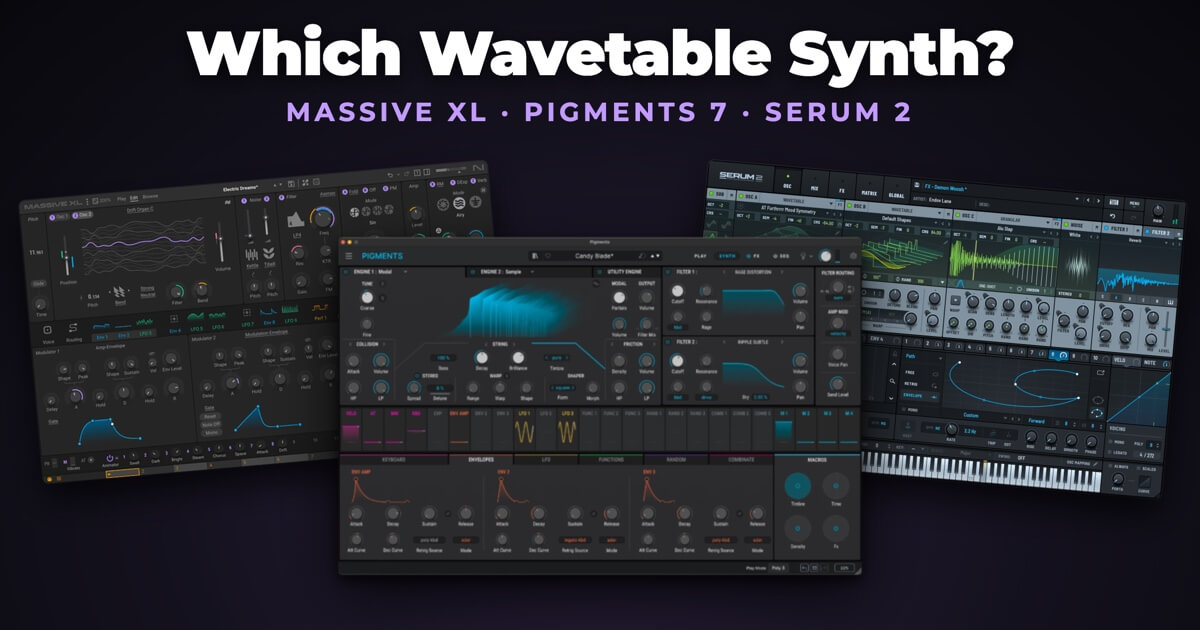
Native Instruments released Massive XL on 27 October 2026. It replaces Massive X, opens all your Massive X presets and Expansions, and adds a tool that turns an audio sample into a playable synth patch.
That puts three big wavetable synths in roughly the same place. Massive XL and Pigments 7 are both $99 during the sales, and Serum 2 is $249. All three can make the same basses, leads and pads. The differences are in the oscillators, the filters, the presets and what each one does that the others can’t.
🎛️ The Short Answer
- Want to start from a sample, or already own Massive X Expansions? Massive XL.
- Want the widest range of synthesis types in one plugin? Pigments 7.
- Want three full oscillators and the biggest choice of third-party presets? Serum 2.
📊 Massive XL vs Pigments 7 vs Serum 2 at a Glance
Prices for Massive XL and Pigments 7 are from Plugin Boutique’s US store on 20 November 2026. Serum 2’s price is from Xfer Records’ own store, as Plugin Boutique doesn’t sell it.
| Massive XL | Pigments 7 | Serum 2 | |
|---|---|---|---|
| Maker | Native Instruments | Arturia | Xfer Records |
| Sound sources | Two wavetable oscillators, a simpler extra oscillator and two noise sources | Two main engines from six types (wavetable, virtual analog, sample, granular, harmonic, modal), plus a Utility engine | Three oscillators, each wavetable, multisample, sample, granular or spectral, plus a sub oscillator and noise |
| Filters | One filter with nine types | Two filters, 19 types and 68 modes | Two filters, each with a long list of types |
| Sequencing | Three Performers (drawn modulation sequences) | Sequencer and arpeggiator | Arpeggiator and MIDI clips |
| Presets | 1,000, and it loads Massive X Expansions | 1,700+ | 626+ |
| Found only here | Turns a sample into a preset | Modal (physical modelling) engine | Spectral oscillator |
| Standalone app | No, plugin only | Yes | Not listed |
| Free version or demo | Free Massive XL Player, with a Demo Mode for the full synth | Free Pigments Play (100 presets, fewer controls) | 15-minute demo |
| Price | $99 until 31 December (normally $199) | $99 until 29 November (normally $199) | $249 |
🆕 What’s New in Massive XL
Massive XL is version 2.0 of Massive X under a new name. The core is the same: two wavetable oscillators feeding a semi-modular routing page, where you can send oscillators, noise, the filter and the insert effects into each other, with phase modulation and feedback loops.
The additions are mostly about getting to a sound faster:
- Generate. Drop in a WAV, AIFF, MP3 or FLAC file and Massive XL builds four preset variants that try to recreate it. A slider sets how closely they match the original, and stem separation lets you pick out just the vocal, bass, drums or the rest of a mixed track. Native Instruments says it uses an AI model it developed. The result is an ordinary preset, so every parameter stays editable.
- Mutate. Makes variations of the current preset, module by module. You can lock the parts you like and change the rest.
- Your own wavetables. You can now import audio as wavetables, which Massive X couldn’t do. There are also more than 100 new wavetables, including vintage PPG and original Massive ones, and more than 100 new noise sources.
- Smaller changes. Three new effects (Raum, Replika Shimmer and Tape Wobble), polyphonic aftertouch, full undo history, a redesigned interface with light and dark themes, and an Info pane that explains whatever you hover over.
Massive X doesn’t disappear when you install XL. Both appear in your DAW, so older projects still open.
🎨 Pigments 7 in Brief
Pigments runs two main engines at once, each chosen from six types: wavetable, virtual analog, sample, granular, harmonic and modal. A Utility engine adds a sub oscillator and sampled noise on top. Modal, a physical modelling engine, is good for struck, plucked and bell-like sounds, and neither of the others has anything like it.
Version 7 added three filters, a distortion effect called Corroder, and new preset packs. Several reviewers said it felt more like a 6.5 than a new version, but it was a free update for existing owners.
We’ve covered it in detail in our Pigments 7 review.
🔷 Serum 2 in Brief
Serum 2 widens what each oscillator can do. Each of its three main oscillators can be a wavetable, a multisampled instrument, a single sample, a granular engine or a spectral engine, which re-synthesises a sample so you can stretch and reshape it.
It also added an arpeggiator and a clip sequencer, so you can store short MIDI patterns inside a preset. Serum 2 was a free upgrade for Serum 1 owners, and Xfer promises free updates for life.
Xfer hasn’t published a Serum 2 video of its own, so here are eleven minutes of Serum 2 sounds with no talking, from ADL-MusicLab:
⚖️ Head to Head
Oscillators
Serum 2 gives you the most: three full oscillators plus a sub and noise. Pigments 7 gives you two engines, but each engine is a complete synth voice of its own, and the virtual analog engine has three oscillators inside it. Massive XL has two wavetable oscillators and a simpler extra oscillator for sine, saw and pulse waves, which can also work as a sub oscillator.
That’s the most common complaint about Massive XL from Massive X owners. Many hoped for a third wavetable oscillator and didn’t get one.
Filters
Massive XL has one filter slot with nine types, against two filters in each of the others. Its filters have a good reputation, though. Owners of both Massive X and Pigments often rate the Massive filters higher, even while preferring Pigments’ layout.
Pigments has the largest choice, with 19 types and 68 modes. Serum 2’s two filters can run one after the other or side by side.
Making a sound from a sample
This is where Massive XL is different. Generate builds a patch from an audio file. Pigments and Serum 2 can both play and mangle samples, but they don’t create a synth patch from one.
If you’ve ever heard a sound in a track and spent an hour trying to rebuild it, this is the feature to try in the demo.
Presets
Serum has the biggest market of third-party presets. Plugin Boutique alone lists dozens of Serum preset packs. Pigments has the largest factory library at more than 1,700 presets, plus Arturia’s own Sound Store. Massive XL ships with 1,000 presets and opens every Massive X Expansion, so if you already own some, they come with you.
Computer power
None of these is light. Pigments has drawn complaints about memory use all year, with forum users reporting well over a gigabyte for the first instance. Early Massive XL owners are mostly happy with its CPU use, but the download is 2.1 GB on a Mac, much bigger than Massive X.
Massive XL also needs macOS 15 or later on a Mac, while Pigments runs on macOS 11 and Serum 2 on Big Sur for Apple Silicon. On an older Mac, check this first.
🔁 Should Massive X Owners Upgrade?
Opinion is split among the people who have already upgraded.
What they like:
- The new interface is far easier to use than Massive X’s
- Importing your own wavetables, which many had wanted for years
- CPU use is reasonable for the sound quality
What they don’t:
- Some feel the upgrade price is a lot for what is mostly a new interface and wavetable import
- Still two main oscillators and one filter
- The modulators are largely unchanged
- A much larger install
If you want Generate, wavetable import or the easier interface, the upgrade makes sense. If you’re happy with how Massive X sounds and works, the core engine is the same, and you can keep using Massive X.
Native Instruments shows owners of its products a lower price once they log in to its store. Massive XL is also due to join Native Instruments’ 360 subscription in 2027.
⚠️ Before You Buy
- Try first. The free Massive XL Player has a Demo Mode for the full synth. Pigments Play is free with 100 presets, and Serum 2 has a 15-minute demo.
- Massive XL has no standalone app. It only runs inside a DAW.
- Pigments 7’s deal ends first. It’s $99 on Plugin Boutique until 29 November, and Arturia’s own store runs its sale until 8 December. Massive XL stays at $99 until 31 December.
- Serum 2 isn’t on sale. Xfer sells it for $249 on its own site, with no discount showing on 20 November.
For more synth deals, see our Black Friday plugin deals.
✅ Which One Should You Buy?
Choose Massive XL if you:
- Make bass-heavy music and like the classic Massive sound
- Want to build presets from samples
- Already own Massive X Expansions
Choose Pigments 7 if you:
- Want several kinds of synthesis in one plugin, including physical modelling
- Want a sequencer that can generate evolving patterns for you
- Can buy before 29 November
Choose Serum 2 if you:
- Want three full oscillators
- Rely on third-party preset packs
- Already own Serum 1, since the upgrade is free
If bass is what you make most, our best bass synth plugins guide covers more options. For pads, see synth plugins for techno pads.
❓ Massive XL FAQs
Is Massive XL a free upgrade from Massive X?
No. It’s a paid upgrade, though Native Instruments offers owners of its products a lower price when they log in.
Can Massive XL load Massive X presets?
Yes. Every Massive X preset and Expansion works in Massive XL.
Can I keep Massive X installed?
Yes. Installing Massive XL doesn’t remove Massive X, and both appear in your DAW.
Does Massive XL use AI?
Its Generate feature does. Native Instruments says it uses an AI model it developed to turn an audio file into a preset, with optional stem separation. The rest of the synth works like any other.
Is Massive XL better than Serum 2?
Neither is better at everything. Serum 2 has more oscillators and two filters. Massive XL can build presets from samples and costs less during the sale.
Is there a free version of Massive XL?
Yes. Massive XL Player is free and plays the factory presets and any Massive X Expansions you own. You can also switch on Demo Mode in the Player to try the full synth.