Chord and melody plugins for producers who get stuck after the first four bars
You open the DAW with a groove in your head and a good feeling. Twenty minutes later you are still looping the same four chords. The piano roll is mostly empty. The good feeling has gone.
That isn’t a talent problem. Plenty of great songs were written by people who couldn’t name the chords they were playing. What usually helps is a second pair of hands: something that suggests the next chord, or throws you a melody you can argue with.
That’s the job chord progression plugins do. I’ve rewritten this guide for 2026, because a lot has moved since last year. Melody Sauce has reached version 3 and now writes chords as well as melodies. Fluid Chords is on version 2. One tool from the old list has gone from Plugin Boutique altogether.
This November update adds six more tools and two free plugins, each with a video so you can see it working.
The prices below are Plugin Boutique’s US dollar prices on 7 November 2026. They swing a long way during sales, so check today’s price before you buy.
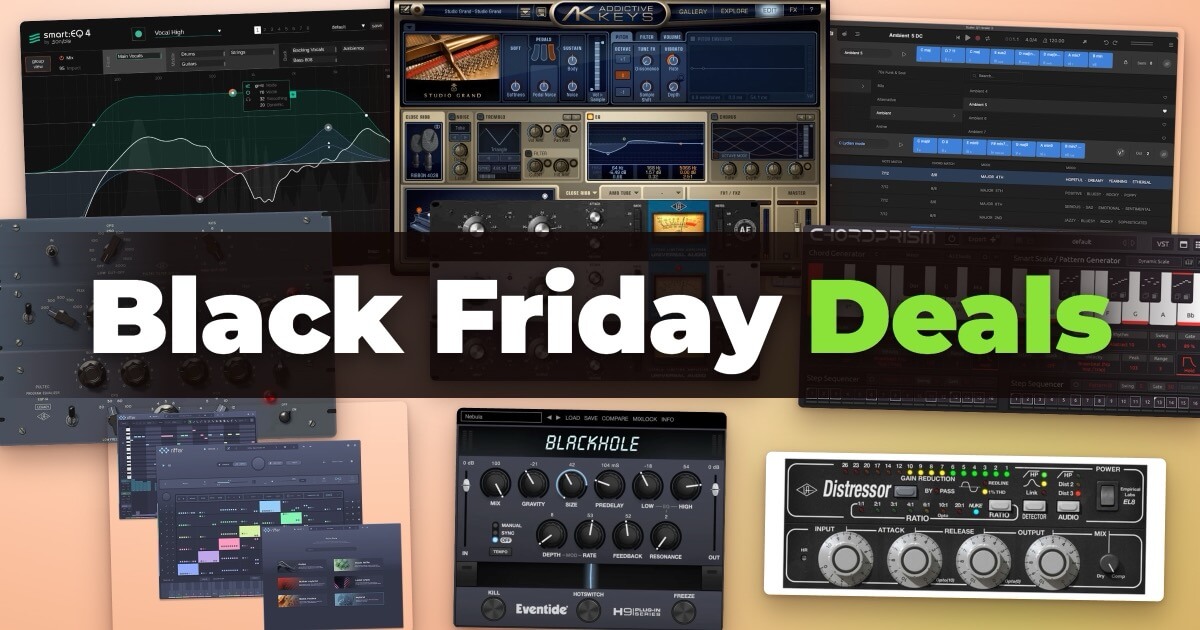
Black Friday prices on Plugin Boutique (checked 16 November 2026)
Chord Prism 2: $29.99, normally $49.99, until 15 December.
Scaler 3: $69, normally $99, until 7 December.
Chordjam: $29.40, normally $49, until 7 December.
Playbeat 4: $53.40, normally $89, until 7 December.
InstaChord 2: $35.60, normally $89, until 29 November.
The rest were at full price. See our Plugin Boutique Black Friday deals page for anything added since.
Some links in this guide are affiliate links. If you buy through one, I may earn a commission at no extra cost to you.
At a glance
| Plugin | Best for | Works in Pro Tools? | Price (USD), Nov 2026 | Where to buy |
|---|---|---|---|---|
| Scaler 3 | Learning theory while you write | Yes | $99 ($69 until 7 Dec; $39 upgrade from Scaler 1 or 2) | Plugin Boutique |
| Chord Prism 2 | Playing full chords with one finger | Yes (as a MIDI insert) | $49.99 ($29.99 until 15 Dec) | Plugin Boutique |
| Melody Sauce 3 | Melodies, now with chords and bass | No | $99 ($69 until 15 Nov) | Plugin Boutique |
| InstaComposer 4 | A whole multi-part idea in one click | Yes | $129 | Plugin Boutique |
| Chordjam | Surprise progressions and patterns | Yes | $49 | Plugin Boutique |
| InstaChord 2 | Chords, strums and picking patterns | Yes | $89 ($35.60 until 29 Nov) | Plugin Boutique |
| Fluid Chords 2 | Expressive bends from chord to chord | No | $99 | Plugin Boutique |
| reMIDI 4 | Chopping and remixing existing MIDI | No | $128 | Plugin Boutique |
| LANDR Composer | Chords, bass, melody and arps in one plugin | Yes | $149 | Plugin Boutique |
| Playbeat 4 | Drum grooves to sit under all of the above | Yes | $89 | Plugin Boutique |
| Captain Chords | A full writing bundle built round chords | Check the maker | Part of Captain Plugins Epic | Mixed In Key |
| Cthulhu | Storing chords and arpeggiating them | Yes | $39 | Xfer Records |
| Hookpad | Sketching songs in a browser | No (web app) | Free plan; paid monthly or lifetime | Hooktheory |
| Ripchord | One-note chords, free | No | Free | Trackbout |
| Tonespace | Seeing how chords fit a scale, free | No | Free | Mucoder |
“Works in Pro Tools” means the plugin comes in AAX format. Logic, Ableton, FL Studio, Cubase and Studio One users can load all of them except Hookpad, which runs in your browser.
Chord Prism 2 vs Scaler 3: which should you buy first?
Most people reach this page choosing between these two.
Think of Chord Prism 2 as power steering and Scaler 3 as a driving instructor. One makes the car easier to handle right now. The other teaches you why the road bends where it does.
Choose Chord Prism 2 if you want to play. You press one key and get a full chord in your chosen key and scale. Its Smart Scale keeps your hand in one position while the right notes move under your fingers, so you can play a bassline or melody over the changes without thinking about which notes fit. At $49.99 ($29.99 until 15 December) it’s the cheaper way in.
Choose Scaler 3 if you want to understand. It detects the chords, key and scale in your MIDI or audio, suggests what could come next, and shows you how to change key without it sounding like a crash. It also has its own sounds, so you can sketch ideas with nothing else loaded.
Two practical differences often decide it. Chord Prism 2 makes no sound of its own: it sends MIDI to another instrument in your DAW. Scaler 3, by contrast, has its own built-in sounds and also runs as a standalone app.
For the full side-by-side, including the split-keyboard features both of them offer, Pro Tools setup and the free trials, read our Chord Prism 2 vs Scaler 3 comparison.
And if you’re weighing Melody Sauce 3 against Scaler 3, they start from opposite ends. Scaler starts with harmony and builds outwards. Melody Sauce starts with a tune and now fills in chords and bass underneath it.
Scaler 3: the music theory workstation
Developer: Scaler Music
If Chord Prism 2 is about instant results, Scaler 3 is about knowing what’s happening under the hood. You can drag chords onto a progression from hundreds of sets sorted by artist and mood, and it tells you which parent scales fit. Stuck? Ask it for the next chord.
The bit beginners notice most is the detection. Play something, or drop in a MIDI or audio file, and it names the chords, the key and the scale. Over a few weeks you start hearing those relationships without the screen.
Version 3 adds a timeline with separate lanes for chords, melody, bass and phrases, so a progression can grow into an arrangement. It hosts your own VST and AU instruments, includes 50 built-in sounds, and runs standalone if you want to write away from the DAW. The Modulation Suggestions are worth a look once you’re comfortable: they show routes into a new key that sound planned rather than accidental.
New in version 3.4 (November 2026): a free update added a Discover page that suggests chords in three groups: ones that stay in your scale, ones borrowed from related keys and more adventurous choices. A new Variations page plays the same chord as inversions, open, guitar, drop 2 and drop 3 voicings, and the Explore page gained 30 chord sets across 10 new genres, from Neo Soul and Modal Jazz to Afro House and Melodic Techno.
Where it falls short: there is a lot of it. The first evening can feel like sitting in an aircraft cockpit. The built-in onboarding tutorial helps, so give it a week before you judge it. The iPad version is sold separately.
Verdict:
The best all-round choice if you want to get better at harmony while you write. It suggests chords and also teaches you why they work.
Chord Prism 2: Mozaic Beats’ one-finger harmony engine
Developer: Mozaic Beats
For instant harmonic gratification, Chord Prism 2 is a strong place to start. One key gives you a triad, a seventh or a ninth, with your choice of inversion and voice leading. Strum, repeat and velocity effects stop it sounding like a block of wood.
Open it on two or three tracks and the copies share their key, scale and chord. Chords on one track, bass on another, an arpeggio on a third, all following the same changes. The genre presets in version 2 were built by Attack Magazine, the team behind The Secrets of Techno Production.
This idea of single-key chords has spread across modern songwriting tools. It’s also a feature I’ve added to my own Compact Piano with Chord Assistant, a web-based chord progression app that I keep developing. Like Chord Prism, it now has one-finger chord binding, so you can play complex progressions while you think about the music rather than the fingering. Same philosophy: lower the theory barrier so ideas come out faster.
Where it falls short: it makes no sound, so you need an instrument for it to play. Some DAWs need a little setup: in GarageBand, Maschine and Reason you load your instrument inside Chord Prism. On a Mac it needs macOS 11.5 or later. If you already own the first Chord Prism, version 2 is a free upgrade.
Verdict:
The fastest, cheapest way to play rich chords without learning the shapes first. Best for producers who write by playing.
Melody Sauce 3: AI melodies, now with chords
Developer: EVAbeat
The old version of this guide covered Melody Sauce 2. Melody Sauce 3 is a bigger change than the number suggests, because it now writes chord progressions too. EVAbeat says there are over 1,000 across nine genres, playing through their own chord and bass layers.
You pick a genre and a style, click a pad, and get a melody with chords and bass underneath. Melodies now run to eight bars, twice the old length. You can also drag in your own MIDI chords. It detects the chords and key, then writes a melody to fit. If you already have a progression, start there.
The 3.1 update added Phrase Lock, which keeps the part of a melody you like and regenerates the rest. It also hosts your own plugins and exports WAV stems.
If you want riffs, basslines and arpeggios rather than a full tune, Audiomodern’s Riffer 4 is built for that job, with five generation engines and MIDI export. See our Riffer 4 deal for the current price.
Where it falls short: no Pro Tools version, it needs about 1.5 GB of disk space, and it has to go online to activate. Like any generator, the first result is a starting point, not a finished hook. If you own Melody Sauce 1 or 2, look for the upgrade price rather than paying in full.
Verdict:
The quickest route from a blank screen to a tune you can react to, and now it brings its own chords.
InstaComposer 4: a whole idea in one click
Developer: W. A. Production
Where Melody Sauce writes a tune, InstaComposer 4 writes a band. It generates up to six parts at once: melody, riff, bass, pads, chords and drums. You can keep eight scenes per song section for verses, choruses and alternatives.
It detects the chords and scale in anything you generate or import, and it supports slash chords like G/B. You can also set a note range so a part stays inside a real instrument’s range.
Version 4 came out in October 2026 with a rebuilt generation engine, two new modes (Arpeggiator and Rhythm V2), groove controls such as syncopation and density, and humanised timing and velocity. It can now play its own parts too: there’s a built-in acoustic piano, a General MIDI-style set of sounds, support for your own SoundFonts, and a mixer with reverb and delay.
Where it falls short: six parts means a lot of controls, and it takes a while to learn what each one does. Its deals come round often, so check before you pay the full $129. If you own InstaComposer 3, the upgrade to version 4 is $10.
Verdict:
Best value here if you want a full sketch to pull apart rather than a single part to build on.
Chordjam: chord patterns from guided randomness
Developer: Audiomodern
Chordjam comes from Audiomodern, the makers of Playbeat 4 further down this list. It builds chords and whole progression patterns by randomising inside limits you set. You pick the scale, chord types, voicings and rhythm, then let its sequencer roll the dice. The results stay in key, but they rarely land where your hands would have gone.
Version 1.5 added MPE support, so chords can glide from one to the next. You can drag a single chord or a whole pattern into your DAW as MIDI, switch to Arp mode, or play it live from a set of pads. It runs as VST3, AU, AAX or a standalone app, on macOS 10.12 or later and Windows 10 or later.
Where it falls short: it won’t tell you why a progression works. It’s built for surprise, not explanation. The iPad version is a separate $9.99 purchase on the App Store.
Verdict:
A cheap way to get out of your usual chord habits. Best for producers who like to react to ideas rather than plan them.
InstaChord 2: chords, strums and picking patterns
Developer: W. A. Production
InstaChord 2 works on the same idea as Chord Prism 2: one key, one full chord. You get over 60 chord shapes and can set up to 24 chords on its chord keys, then switch between them as you play. Custom chords are built from intervals, or you play a shape on your MIDI keyboard and it learns it.
Where it goes further is playback. The Pattern Editor lets you draw your own strums, arpeggios and guitar-style picking, and one key can strum the top three notes while another picks out the rest. There are five hold modes, MIDI drag and drop, and a generate button borrowed from InstaComposer that writes new patterns in your scale.
It comes in VST, VST3, AU and AAX, for macOS 10.15 or later and Windows 10 or later. Like Chord Prism 2, it sends MIDI to another instrument rather than making sound itself.
Where it falls short: five hold modes and a pattern editor are a lot to learn for a chord tool. If you only want one-finger chords, Chord Prism 2 is simpler.
Verdict:
The pick for guitar-style parts and strummed chords. At its Black Friday price it’s the cheapest paid plugin here.
Fluid Chords 2: bend from one chord to the next
Developer: Pitch Innovations
Fluid Chords 2 does something the others don’t. It bends every note of one chord into the next, like a string section sliding between positions instead of a keyboard jumping. A new voice-leading engine picks which note goes where, and a Strum control lets the notes bend one after another.
Version 2 doubles the chord slots to 16, each on a single key from C1 to C3. It adds a Harmony Engine that generates progressions from a key and genre, and its own sound engine, so it isn’t silent out of the box.
Where it falls short: the bends rely on MPE, so the sounds and the DAW have to support it. In Ableton that means version 11 or later. There’s no Pro Tools version. It’s a specialist tool, wonderful for cinematic and electronic work and less useful for a straight pop progression.
Verdict:
The one to buy when your chords are right but the movement between them feels stiff.
reMIDI 4: remix MIDI like audio
Developer: SongWish
reMIDI 4 treats MIDI files the way a sampler treats audio. You load files onto up to 128 pads, then chop, rearrange and trigger them. It names each pad from the chords it finds, and Scale Sync keeps everything in your project’s key.
For learning, it’s a quiet gem. Load a MIDI file of a song you love, take it apart pad by pad, and you can see how the progression and melody fit together. Then rebuild it into something of your own.
Where it falls short: it needs material to work on, so it’s a remixing tool rather than a blank-page generator. It has no Pro Tools version.
Verdict:
A clever way to study and recycle MIDI. Best for producers who already have a folder of ideas they never finished.
LANDR Composer: four parts from one plugin
Developer: LANDR
LANDR Composer generates chord progressions, basslines, melodies and arpeggios, and you can tweak each part with controls such as polyphony and humanisation. LANDR says you need no music theory to use it. Scenes and a Song mode let you line up several ideas into an arrangement.
It has its own stock sounds and a piano roll for editing, syncs to your DAW, and lets you drag the MIDI out. Mac users get VST3, AU and AAX on macOS 10.14 or later; Windows users get VST3 and AAX on Windows 10 or later.
Where it falls short: at $149 it’s the most expensive Plugin Boutique pick here, and it had no Black Friday discount on Plugin Boutique when I checked. InstaComposer 4 covers similar ground with more parts for less money.
Verdict:
A tidy all-in-one if you want chords, bass and melody from one window. Wait for a sale if you can.
Playbeat 4: drums to go with it
Developer: Audiomodern
Strictly speaking, Playbeat 4 isn’t a chord tool. It earns its place because chords with no groove underneath still sound like a demo. It runs up to eight sequencers and generates patterns by genre. Audiomodern says it uses local AI algorithms. It ships with 1,500 kits and exports both MIDI and audio.
Where it falls short: it’s drums only. If you like to place every hit yourself, a plain step sequencer will feel more direct.
Verdict:
The rhythm half of the toolkit. Pair it with Scaler or Melody Sauce and you have a foundation in minutes.
Captain Chords, Cthulhu and Hookpad
These three come up in almost every list of chord progression plugins.
Captain Chords (Mixed In Key)
Captain Chords writes progressions in any key and scale, with buttons that suggest the next chord, rhythms sorted by genre and a library of famous progressions from hit songs. You can import your own MIDI too. It’s sold as part of Captain Plugins Epic, a set of five connected plugins for chords, melodies, beats and basslines. There’s no free trial, but Mixed In Key offers a 30-day money-back guarantee.
Cthulhu (Xfer Records)
Cthulhu is from Xfer, the company behind Serum. It doesn’t suggest progressions. You give it the chords, from over 150 presets, by recording them or by importing MIDI, and it places one on each key. Then its arpeggiator turns them into patterns, with an 8-step sequencer whose lanes can each run a different length. It costs $39, works as VST, AU (as a MIDI FX in Logic) or AAX, and has a 15-minute demo. Reason isn’t supported.
Hookpad (Hooktheory)
Hookpad is a songwriting sketchpad that runs in a web browser. It shows the chords in your key, colour-codes chords and melody so you can see how they relate, and takes input from a MIDI keyboard. There’s a free plan. The paid plan, monthly or lifetime, adds MIDI and MP3 export and sheet music, so you can finish the idea in your DAW. An AI assistant called Aria is a separate add-on.
Free chord progression plugins
You don’t have to spend anything to try the idea.
Ripchord (Trackbout)
Ripchord by Trackbout is free and open source. Play one note and it plays a full chord. You can build your own presets, or import a MIDI file and it turns the chords into a preset for you. It also reads MPC chord progression files, and has strum and humanise controls. Version 2.7.0 comes as AU or VST3 on a Mac and VST3 on Windows.
Tonespace (Mucoder)
Tonespace by Mucoder is a free chord generator and visualiser. It lays chords and scales out on a grid, so you can see how they fit together, and shows each chord on a piano keyboard. Move the mouse or play single notes to trigger chords, let it fit chords to a scale for you, and send the result to any synth over MIDI. It has 39 chord types and 21 scales, and runs as VST, AU or a standalone app on Windows, Mac and Linux. The current version, 2.9, dates from 2022, so check it runs on your system before you rely on it.
Free in your browser
Prefer something in the browser? My Compact Piano with Chord Assistant runs there and binds chords to single keys, and the chord progression generator will give you a starting progression in a few clicks. For free plugins of other kinds, see the 10 best free plugins on Plugin Boutique.
If you’d rather learn to step off the same four chords by hand, Breaking the 3 Chord Habit walks through it one technique at a time.
Workflow: a whole song from these tools
Each of these works alone, but they’re at their best together. Here’s one way to go from nothing to a full sketch inside your DAW:
- Start with Scaler 3: detect or build a chord progression.
- Drag those chords into Melody Sauce 3: let it write a melody that fits them.
- Add Playbeat 4: generate a groove underneath.
- Try Fluid Chords 2 on the chorus, so the changes slide instead of step.
- Finish at the keyboard: play the progression yourself with Chord Prism 2 or the Compact Piano, and keep the takes that feel human.
None of these tools writes the song for you. They get you past the blank screen.
Quick FAQs
Which of these work in Pro Tools?
Scaler 3, InstaComposer 4, Playbeat 4, Chordjam, InstaChord 2, LANDR Composer and Cthulhu come in AAX format, and Chord Prism 2 has an AAX MIDI effect that you load as a MIDI insert. Melody Sauce 3, Fluid Chords 2, reMIDI 4, Ripchord and Tonespace don’t.
Does Chord Prism 2 work in GarageBand?
Yes. ChordPrism’s own setup guide says to load it as an instrument in GarageBand and host another instrument plugin inside it. Some store listings still say it isn’t compatible, but they’re out of date.
Which chord plugin is best for FL Studio or Ableton?
Every plugin in this guide runs in both, apart from Hookpad, which runs in a browser. Plugins that only send MIDI, such as Chord Prism 2, InstaChord 2, Cthulhu and Ripchord, need routing to an instrument, and each maker has a setup guide for the main DAWs. If you want sounds built in, Scaler 3 is the simplest start.
Scaler 3 or Captain Chords?
Scaler 3 is the better teacher: it detects chords and keys, suggests what comes next and explains key changes. It also has its own sounds and a standalone app. Captain Chords is only sold inside the Captain Plugins Epic bundle, so choose it if you want matching melody, bass and drum tools in the same purchase.
Chordjam or Scaler 3?
Chordjam is cheaper, at $49, and is built to surprise you with patterns you wouldn’t have written. Scaler 3 is built to help you understand what you’re writing. Both have a free trial on Plugin Boutique, so try them side by side.
Is using a chord generator cheating?
No more than using a chord book. You still choose, change and play what you keep, and the more you use something like Scaler, the less you need it.
When are these cheapest?
Sales come round often, and Black Friday is the big one. Scaler 3, InstaChord 2 and Melody Sauce 3 are all discounted on Plugin Boutique right now (see the prices at the top). Check our Plugin Boutique Black Friday deals page and the current plugin deals first.
Final thoughts
If you’re only buying one, buy Scaler 3 if you want to learn and Chord Prism 2 if you want to play. Add Melody Sauce 3 when the chords are there but the tune isn’t. If you don’t want to spend anything yet, start with Ripchord or Tonespace.
Explore these plugins on Plugin Boutique, and check the price on the day: they change often.
(For a full look at the shop itself, see my Plugin Boutique review.)